Can You Rejoin a YouTube Family Plan After Leaving One? 2026
Yes, you can rejoin a YouTube Family Plan after leaving it, but there are a few steps and conditions you need to be aware of. Whether you’re looking to rejoin the same plan or join a new one, we’ll walk you through everything you need to know. Let’s keep it simple and easy, so you can quickly get back to enjoying YouTube Premium with your family.
What is YouTube Family Plan?
Before diving into how to rejoin a YouTube Family Plan, let’s quickly understand what it is. A YouTube Family Plan allows the main account holder (the family manager) to share YouTube Premium benefits with up to 5 other family members in the same household. This plan offers perks like:
How the YouTube Family Plan Works
The YouTube Family Plan is perfect for families who want to save on the cost of YouTube Premium while enjoying the same benefits. The main account holder (or family manager) is the person who initially subscribes to YouTube Premium and invites others to join their family group. Members can be removed or paused from the family group if needed by the manager.
Each family member gets their own YouTube account but shares the subscription benefits under one plan. This is great for saving money if multiple people in the household want YouTube Premium, especially when you Rejoin a YouTube Family Plan after becoming eligible again.
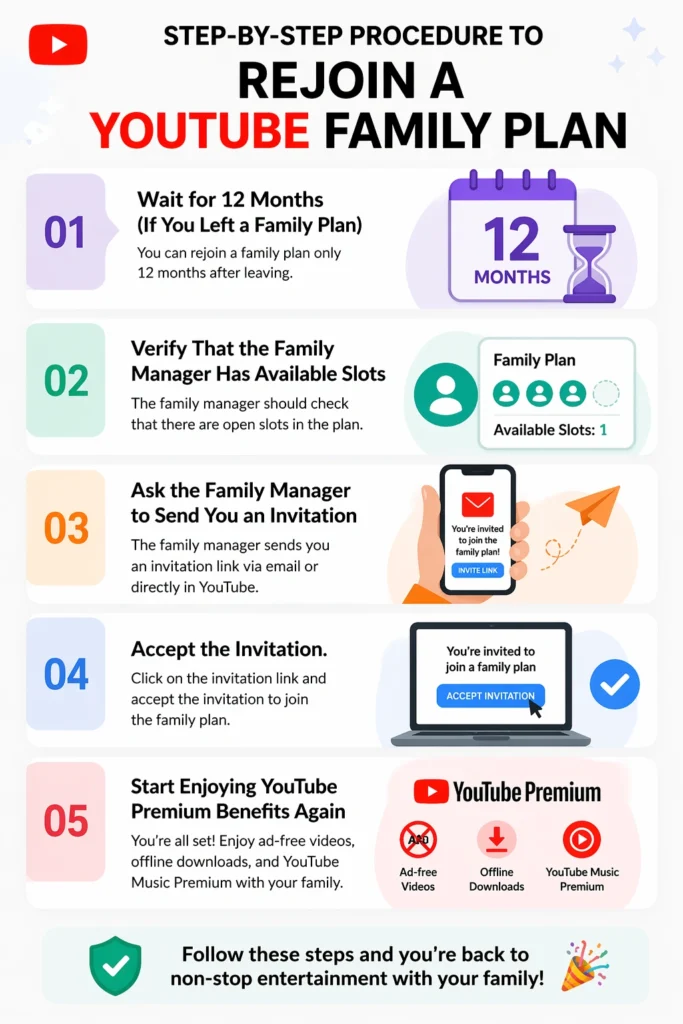
Step-by-Step Procedure to Rejoin a YouTube Family Plan
If you’ve left a family plan and want to join one again, here’s a step-by-step guide to help you get back in.
One important thing to keep in mind is that if you have left a family plan (either voluntarily or by being removed), YouTube has a 12-month waiting period. This means that you can’t join another family plan until 12 months have passed from the time you left. So, if you’re trying to rejoin immediately after leaving, you’ll need to wait.
Tip: If you’ve just left, mark the date on your calendar so you can keep track of when you’re eligible to rejoin!
The next step is to check whether the family manager (the person who set up the family plan) has space available for you. A YouTube Family Plan allows up to 6 members (including the manager). If all spots are taken, the family manager will need to remove someone in order to add you back.
Once the waiting period is over and there’s room in the family plan, ask the family manager to send you an invitation. Here’s how they can do it:
- Open the YouTube app or website.
- Tap on Settings (click on the profile picture and select Settings).
- Under Account, tap on Manage Family.
- The manager can click “Invite family member” and send you an invitation via email.
The family manager can send this invitation from their device at any time!
After the family manager sends the invitation, you’ll receive an email with a link to join. Here’s how to accept it:
- Open the email from YouTube.
- Click on the “Join Family” link.
- If you’re using the YouTube app, the invitation may pop up directly, and you can click “Join” to accept.
After clicking the link, you’ll be added back to the family plan!
Once you’ve joined the family plan again, you can start enjoying all the perks of YouTube Premium, such as:
- Ad-free videos on YouTube and YouTube Music
- YouTube Originals content
- Offline downloads to watch videos without an internet connection
- Background play, so you can listen to videos even when your phone’s screen is off
Why Rejoining a YouTube Family Plan is Worth It
Rejoining a YouTube Family Plan brings more than just financial savings—it offers an enhanced viewing experience for everyone in the household. Here are a few reasons why it’s worth rejoining:
Plus, it’s super convenient to have everything under one plan rather than juggling multiple subscriptions!
What Happens If I Can’t Rejoin Immediately?
If you’re still within the 12-month waiting period, you’ll need to wait until it’s over before you can Rejoin a YouTube Family Plan. In the meantime, you can still use YouTube for free, but you’ll have to deal with ads. If you’re really missing YouTube Premium, you can also consider subscribing individually until you’re eligible to Rejoin a YouTube Family Plan again.
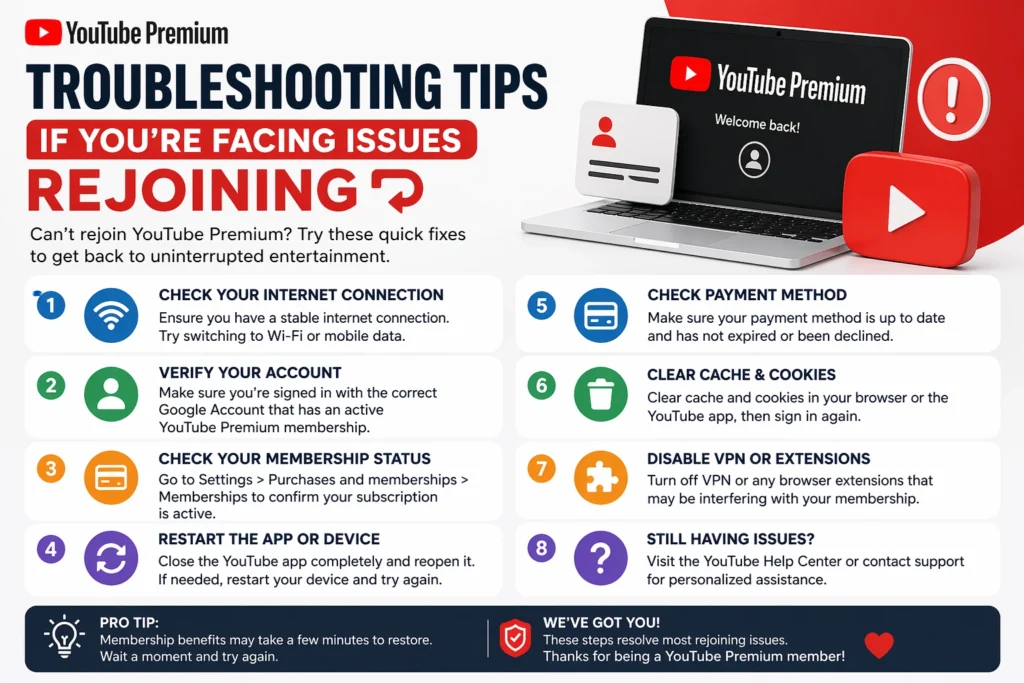
Troubleshooting Tips If You’re Facing Issues Rejoining
If you’re facing issues while trying to rejoin the family plan, try these quick fixes:
Frequently Asked Questions (FAQs)
Final Thoughts
Rejoining a YouTube Family Plan is easy once you’ve waited out the 12-month period. If you want to rejoin a YouTube Family Plan, simply follow the required steps and regain access to ad-free videos, YouTube Music, and other premium benefits at a reduced cost. After completing the process, you’ll be back to enjoying YouTube Premium features in no time.