Why Offline Videos Disappear After Switching Google Accounts
Switching Google accounts may seem harmless, but on YouTube Premium and YouTube Music, it can make your downloaded playlists and offline videos disappear. This usually happens because offline downloads are linked to the account that downloaded them, not just the phone or tablet you are using. They are also stored in encrypted form inside the app, not as normal video files in your gallery.
What Causes Downloaded Playlists and Offline Videos to Disappear?
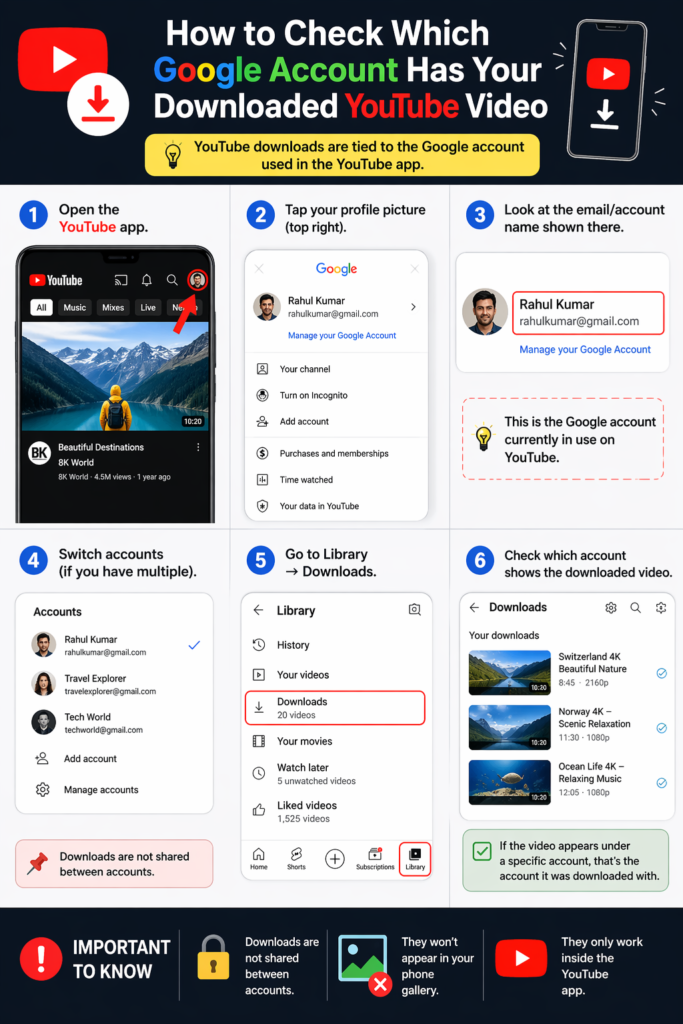
The main reason is simple: your offline library belongs to the Google account used when the videos or playlists were downloaded. When you switch to another account, YouTube may stop showing those files because the new account does not have the same download rights. Google also says downloaded videos work while you are signed in with the same account that downloaded them.
How to Check Which Google Account Has Your Downloads
Before trying anything else, check which Google account is active in YouTube or YouTube Music. Many people use more than one account on the same device, so it is easy to open the app with the wrong one by mistake. If the Downloads section looks empty, switch back to the original account that had YouTube Premium and downloaded the content.
Why This Happens With Playlists Too
A playlist and a downloaded playlist are not the same thing. The playlist itself is part of your account library, but the downloaded version is only the offline copy stored on that device. So after switching accounts, the original playlist may still exist, but the downloaded copy may no longer show up as offline videos disappear due to account-based access. Google’s playlist transfer tools also treat YouTube Music playlists as account-based data, which supports this behavior.
Common Reasons Offline Videos Disappear
You Switched to Another Google Account
This is the most common reason. Once you move to a different account, offline videos disappear as YouTube may stop showing the content downloaded under the old one.
The Download Expired or Needed a Refresh
Offline videos do not stay available forever without a check. Google says downloaded videos can usually be played offline for up to 29 days before the app needs to reconnect and verify availability. In some countries or regions, that limit can be as short as 48 hours. If a video is no longer available for offline viewing, it may be removed during the next sync.
App Data Was Cleared or the App Was Reinstalled
Because downloads are stored inside the app in encrypted form, clearing app data, reinstalling YouTube, or resetting the device can remove them. They are not backed up like regular media files.
You Reached a Device Limit
Google says YouTube Premium and YouTube Music Premium offline features can be used on up to 10 devices at one time. After several device changes, new downloads may stop working until the limit resets.
You Are Using a Different Account for Purchased Content
Purchased movies and TV shows follow the same logic. Google says you must use the same Google account that was used to buy or rent the content if you want to download and watch it offline.
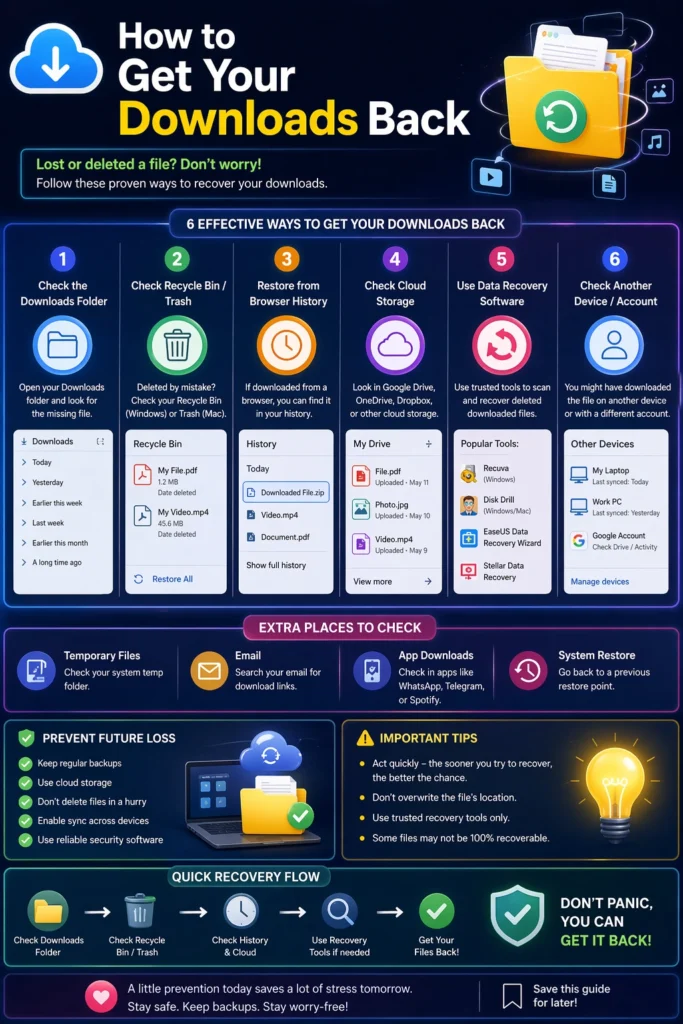
How to Get Your Downloads Back
Here are the steps that usually fix the issue:
Can You Transfer Downloads to Another Google Account?
Usually, no. Google provides tools for copying YouTube Music playlist data, but offline downloads themselves remain tied to the original account and device. That means you may be able to move playlist data in some cases, but not the downloaded offline files.
What to Do Before Switching Google Accounts
A little preparation can save time later. Before switching accounts, check which one holds your YouTube Premium membership, your playlists, and your downloads. If you care about your music or saved lists, it is smart to back up important playlist data first. Also, remember that offline videos disappear in YouTube Music because downloads are stored inside the app, so they may not remain usable after the switch.
Tips to Stop This From Happening Again
Frequently Asked Questions (FAQs)
Final Thoughts
Downloaded playlists and offline videos disappear after switching Google accounts because YouTube treats them as account-based offline access, not as regular files any signed-in user can open. In most cases, the fix is not complicated: go back to the original account, reconnect the app, and re-download anything that was removed.